NBA 2K26 MyTEAM Mobile
2K
Dec 1, 2025
2 GB
400.16.500817214
Android 9.0+
9274

Description
The world of mobile gaming has expanded significantly, with sports titles like NBA 2K26 MyTEAM Mobile giving fans the chance to enjoy basketball on the go. Whether you’re a diehard fan of the NBA 2K franchise or simply looking for a mobile experience that lets you manage a dream team, MyTEAM Mobile promises to bring a new look to this beloved game mode. But what exactly is NBA 2K26 MyTEAM Mobile and how does it work? Let’s take a look at the features, gameplay mechanics, and everything you need to know to get started.
What is NBA 2K26 MyTEAM Mobile APK?
NBA 2K26 MyTEAM Mobile is the mobile version of the popular MyTEAM mode from the NBA 2K26 series. MyTEAM Mobile officially launched on November 28, 2025 and is available for download on both iOS and Android devices. MyTEAM revolves around building your dream basketball team using player cards, competing against other teams and climbing the ranks to unlock rewards. The mobile version, while still offering the same core experience, is designed to be accessible to smartphone players, bringing the excitement of MyTEAM to your fingertips.
Key Features and New Features in 2K26 MyTEAM Mobile
1. NBA + WNBA Player Cards: Build Mixed-League Rosters
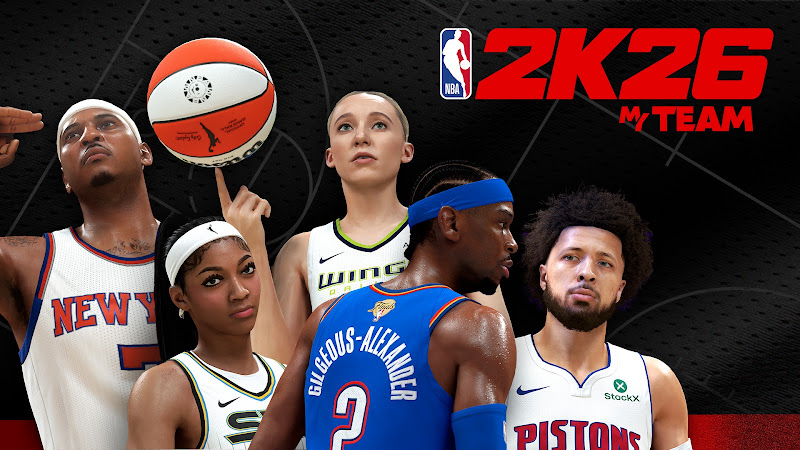
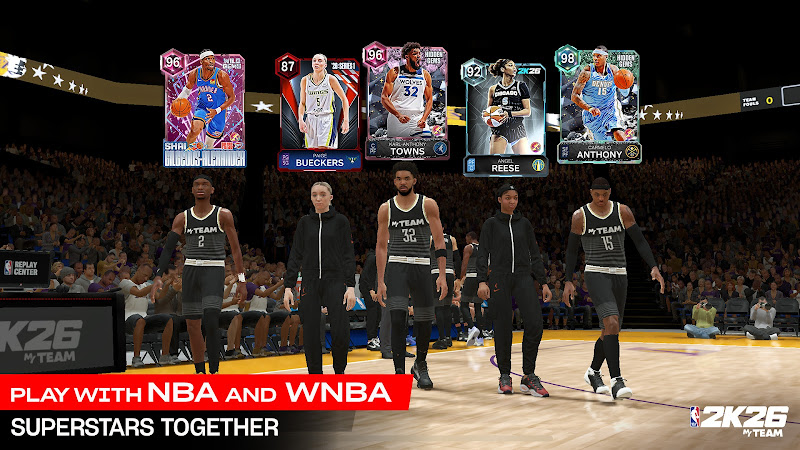
One of the most exciting additions in NBA 2K26 MyTEAM Mobile is the ability to use WNBA player cards alongside the usual NBA cards. This allows you to create truly unique rosters by combining NBA and WNBA players, something that hasn’t been possible in previous MyTEAM versions. Whether you want to build a dream team featuring the best of both leagues or experiment with mixed lineups, the new feature opens up a ton of strategic possibilities.
2. Cross-Progression, Account Sync (Mobile ↔ Console)
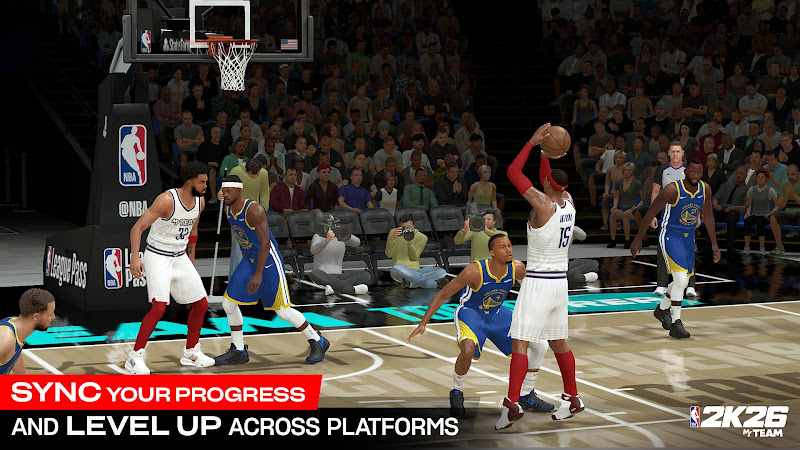
MyTEAM Mobile seamlessly integrates with the console version of NBA 2K26. If you link your PlayStation or Xbox account, all your progress, VC, MyTEAM Points, and season rewards will sync between mobile and console, enabling a smooth cross-platform experience. This means you can manage your team on the go and still make progress in the console version.
3. Controller & Device Compatibility
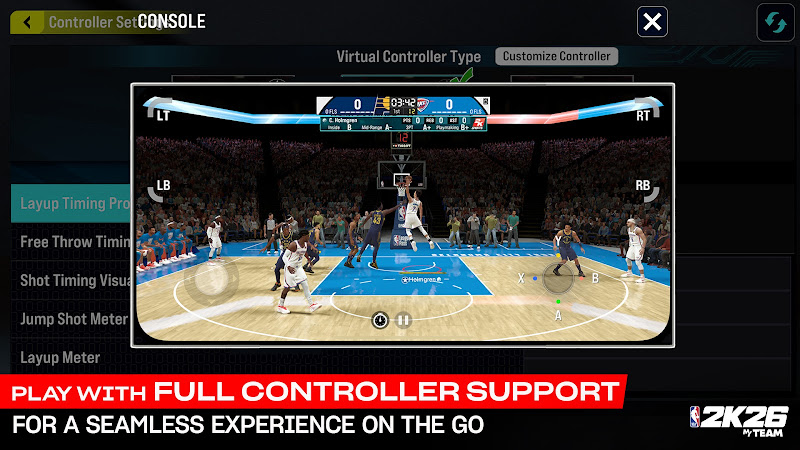
For a better experience, MyTEAM Mobile supports Bluetooth controllers like the PlayStation DualSense and Xbox controllers, providing a more console-like feel while playing on your mobile device. Whether you’re playing on your phone or tablet, these controller options enhance the overall gameplay experience, especially for competitive matches.
4. Game Modes Available at Launch with MyTEAM Mobile
NBA 2K26 MyTEAM Mobile launches with a variety of game modes, including:
- 5v5 matches: Traditional full-team basketball games.
- Showdown: Compete against others in high-stakes matches.
- Breakout: A casual mode with fun and unique challenges.
- Triple Threat / Park / 3v3: Smaller, quicker games for those who prefer a fast-paced experience.
- King of the Court: A competitive mode that tests your skills.
- Auction House / Exchange: Trade player cards, manage your roster, and build your dream team.
- All-Star Team-Up: A new mode in 2K26, allowing you to team up with other players to take on challenges.
5. Progression Systems
MyTEAM Mobile features several progression systems:
- Season Pass: Unlock exclusive rewards as you progress through the season.
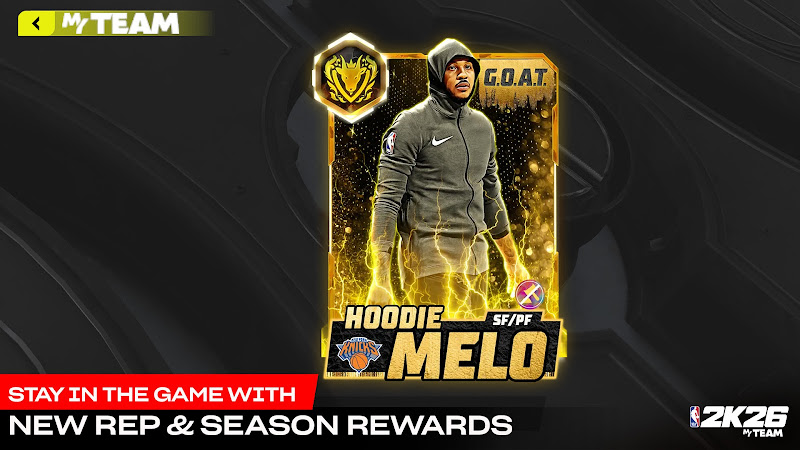
- MyTEAM REP: A new ranking system that tracks your success in MyTEAM.
- Season XP: Earn experience points to level up and unlock more rewards.
- Early Adopter Rewards: Players who log in early receive special cards, such as the Pink Diamond Jalen Brunson card.
How Matches Work of NBA 2K26 MyTEAM Mobile
Single-player versus multiplayer, matchmaking on mobile devices
In NBA 2K26 MyTEAM Mobile, you can participate in both single-player and multiplayer modes. You can compete against AI teams or challenge other players in ranked or casual mode. The matchmaking system ensures you are paired with players of similar skill levels, providing a competitive yet fair experience.
Team Building and Collection Mechanism
Team building is at the core of MyTEAM Mobile. Collect cards from NBA and WNBA players, both current and legendary, to create a roster that suits your play style. You can combine players from different eras, experiment with different formations, and apply new tactics to overwhelm your opponents.
Auction System, Trading Floor
Unlike previous versions where you were limited to randomly drawing cards, MyTEAM Mobile introduces the Auction system. You can buy and sell cards, which can help you strategically recruit key players for your squad. This market-based system gives you more control over the players you add to your squad.
UX & UI of NBA 2K26 MyTEAM Mobile
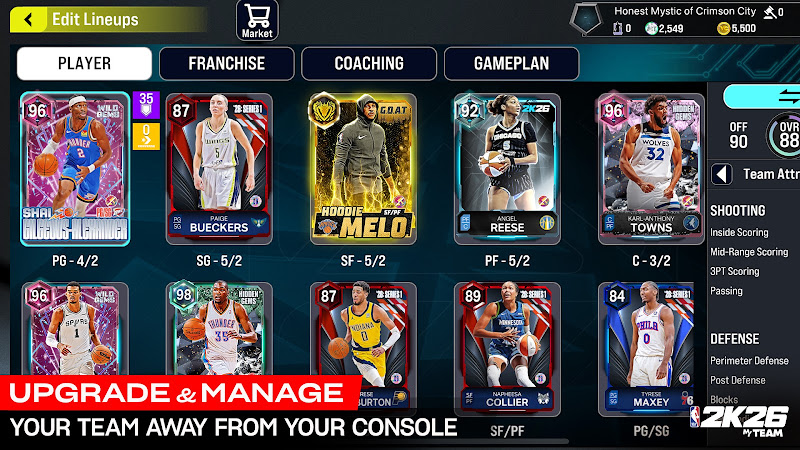
The interface of NBA 2K26 MyTEAM Mobile aims for clarity and convenience: menus for building your roster, browsing cards, and launching matches are organized to suit mobile devices, letting you manage your team or start a game with a few taps. The game also supports Bluetooth controller functionality, providing a more console-like experience on mobile.
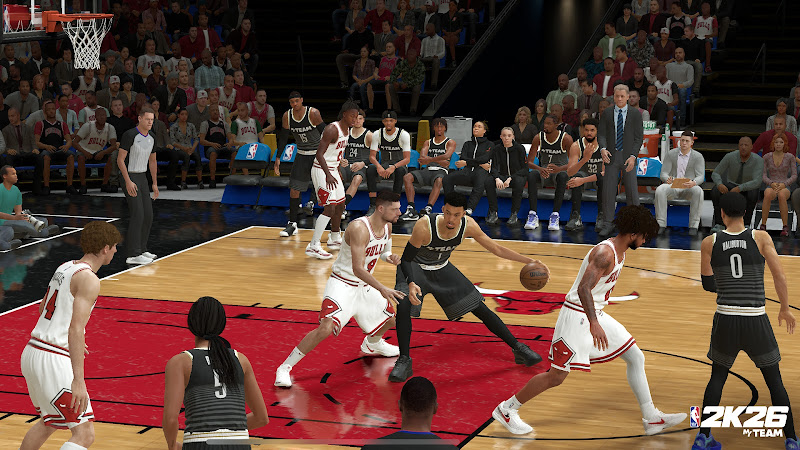
Visually, MyTEAM Mobile adopts a modern, streamlined presentation with smooth player animations, realistic roster visuals, and a clean, user-friendly layout. The mobile version retains much of the polished look and feel of the console version, offering lifelike movement, shooting, and off-ball animations. This consistency in visual fidelity ensures that even on a smaller screen, the gameplay feels immersive and true to its console counterpart.
However, some early user feedback suggests minor challenges with the UI when managing detailed player cards. Inspecting player stats and comparing cards side-by-side may occasionally be harder to navigate on mobile, especially when the cards aren’t clearly highlighted. While the overall layout is clean, some users have mentioned that certain menus could be more intuitive, particularly when it comes to managing inventory or switching between detailed card views.
Overall, the UX of MyTEAM Mobile strikes a balance: it provides a visually polished, console-like basketball experience on mobile with intuitive core menus and controller support. However, some deeper management features may feel less ergonomic compared to the console version, making it a trade-off between portability and detailed user interaction.
Useful Tips to Play Smart in NBA 2K26 MyTEAM Mobile APK
- Unlock the Auction House as early as possible: Getting access to the Auction House gives you more control over building your roster than relying purely on random pack draws. You unlock it by reaching Gold rank in MyTEAM REP.
- Focus early on modes that give consistent rewards and REP, like Domination or Salary Cap: These modes provide reliable MT (currency) and help you quickly reach the REP threshold to start buying and trading cards.
- Don’t immediately chase rare “flashy” cards, build a solid core first: Starting with budget-friendly but well-rounded players instead of focusing only on top-tier cards with low odds gives you a stable lineup while you build up resources.
- Use the Auction House to “snipe” good deals buy low, sell high: Since the in-game marketplace fluctuates, you can sometimes pick up underrated players for cheap, then resell them when demand spikes. This strategy helps you grow MT without spending real money.
- Balance gameplay, mix short and long modes to optimize time vs reward: Use quicker modes like Triple Threat or Showdown when you only have a few minutes. Save longer modes (Domination, Salary Cap) for when you can commit more time. This balances progression and prevents burnout.
- Use controller support if possible for better gameplay feel and execution: MyTEAM Mobile supports Bluetooth controllers like DualSense or Xbox, which can improve your control over shooting, defense, and animations, especially in competitive games or clutch situations.
- Pay attention to card attributes, badge packages, and matchups, not just overall rating: Some cards may have a lower overall rating but offer better size, defense, or badge combinations that outperform flashier cards, especially in tougher games.
- Keep a reserve of MT even after buying good cards, don’t spend everything at once: Having MT in hand helps you adapt when new packs drop or when market prices crash, giving you opportunities to pick up bargains or upgrade your roster affordably.
- Watch for market crashes or card release windows, timing trades smartly can yield big gains: New player releases often cause old cards’ prices to drop temporarily. That’s a good time to buy low. A few days later, demand may increase again, letting you resell at profit or keep a strong budget-friendly lineup.
- Treat roster building as long-term, aim for steady progression, not quick luck: By combining REP grinding, smart trading, and careful card selection, you give yourself a stable path to a competitive team without relying solely on luck from pack openings.
Pros & Cons of NBA 2K26 MyTEAM Mobile
Pros
- Flexible and accessible basketball gaming on mobile: You can build and manage your MyTEAM roster anywhere on iOS or Android, making it ideal for players without constant access to a console or PC.
- NBA + WNBA players, richer roster variety: For the first time in MyTEAM history, both NBA and WNBA cards are available, allowing you to build mixed-league lineups.
- Cross-progression with console version: If you link your PlayStation or Xbox account, your roster, VC, and MyTEAM Points sync between mobile and console.
- Multiple game modes and strategic depth: With modes like 5v5, Triple Threat, Auction House / Exchange, and more, the game offers depth and variety, going beyond just quick matches.
- Convenience for team management outside console: For console players, MyTEAM Mobile lets you manage your lineup, check auctions, and make roster moves while away from your console.
Cons
- Dependence on randomness and in-game purchases: Building top-tier teams often relies on random draws or spending real money, which may create a “pay-to-win” experience for some players.
- Possible performance issues and instability: Some users report crashes or lag, especially on lower-end devices, affecting the gameplay experience.
- Mobile version lacks full features of the console game: MyTEAM Mobile only features the MyTEAM mode, so you miss out on more extensive modes like MyCAREER and deeper simulations available on consoles.
- Time investment and grind: To build a competitive roster, players may need to invest significant time in playing to earn rewards, which can feel like a grind.
- Monetization pressure: The game’s loot-box mechanics and in-game purchases can put pressure on players to spend more money, especially if they want to get ahead quickly.
FAQs
1. What platforms support NBA 2K26 MyTEAM Mobile APK?
MyTEAM Mobile is available on iOS and Android devices, accessible through the App Store and Google Play.
2. Can I sync my console progress?
Yes, by linking your PlayStation or Xbox account, your progress and rewards sync across mobile and console.
3. What is the Auction House?
The Auction House lets you trade cards with other players, adding a market-based strategy for building your team.
4. What are the available game modes at launch?
Game modes include 5v5, Showdown, Triple Threat, King of the Court, Breakout, and more.
5. How do I earn rewards in NBA 2K26 MyTEAM Mobile APK?
Earn rewards through progression, Season Pass, Season XP, and participation in different game modes.
Conclusion
If you’re a MyTEAM fan and want to stay active even without a console, NBA 2K26: MyTEAM Mobile brings the action to your Android device with full cross-progression, WNBA + NBA roster building, and fast-paced mobile gameplay. Don’t miss out: click “Download” and start building your dream team now!
What's new
- Supports Android 9 and above (mobile launch)
- Cross-progression with console versions sync MyTEAM cards, REP, XP across devices.
- Full MyTEAM modes available on mobile (card collection, match modes, roster management)
- First-time inclusion of WNBA players collect and play with WNBA + NBA stars in the same lineup.
Images